By Elkanah Osiemo
Timely payments depend on complete information, clear approvals, and consistent follow-up. When an invoice moves between inboxes without a clear next step, small gaps can turn into days of delay.
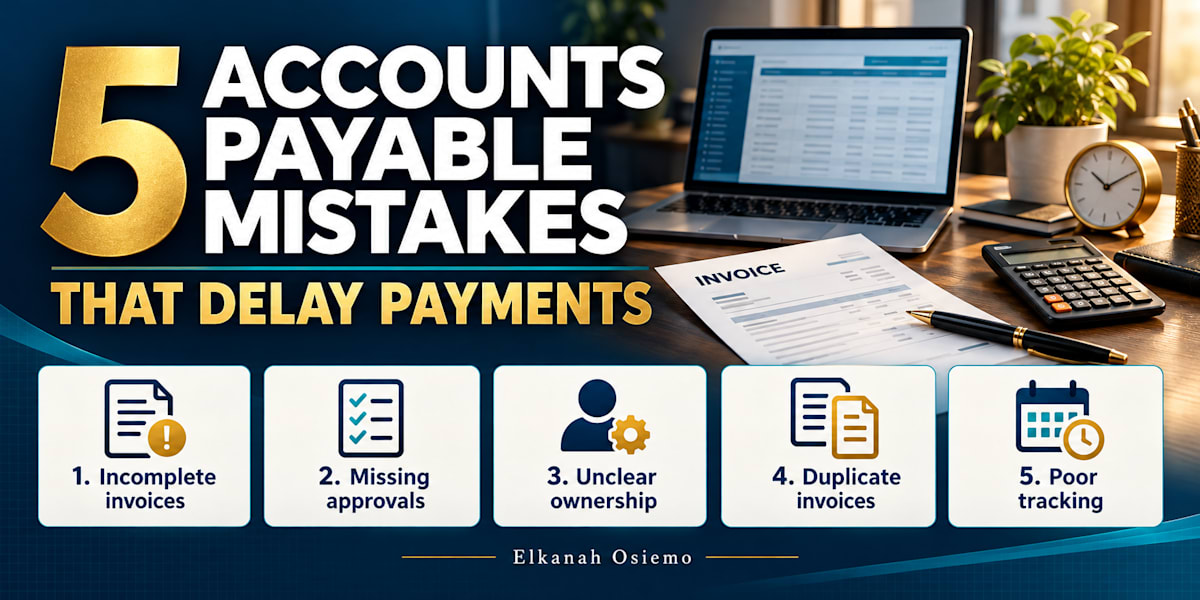
For accounts payable teams, a useful starting point is to examine where invoices get stuck. Here are five mistakes to watch for, with practical steps you can apply to your workflow.
1. Incomplete invoice information
A missing invoice number, unclear description, or absent purchase order reference can leave a reviewer unable to complete a check. Problems are harder to resolve when you discover them only after the invoice has passed through several hands.
Practical fix: Use an intake checklist based on your organization’s requirements. Check vendor identification, invoice number, date, amount, supporting documents, and any required purchase order reference. Send one clear request listing the missing information, and record when you expect a response.
2. Missing or unclear approvals
An invoice can be ready for review but still wait because nobody knows which approval is required. An informal message saying “this looks fine” may also leave uncertainty about whether the authorized person approved the expenditure.
Practical fix: Establish an approval route that follows your organization’s policy and authorization limits. Record who needs to approve, when the request was sent, and whether supporting evidence is complete. Use a designated backup when policy permits, and retain the approval record with the invoice.
3. No clear owner for follow-up
Forwarding an invoice doesn't clarify who will resolve the next issue. If several people assume someone else is contacting the vendor or requesting approval, the invoice can remain open without progress.
Practical fix: Assign an owner and a next action to each unresolved invoice. A useful note is specific: “Awaiting department approval; follow-up assigned to Alex.” Add a follow-up date. A shared log helps staff see the current action without searching through long email threads.
4. Duplicate invoices that need investigation
A vendor may resend an unpaid invoice, or the same document may arrive through different channels. Separate entries can confuse whether an invoice is new, already being processed, or already paid.
Practical fix: When reviewing possible duplicates, compare vendor identifiers, invoice numbers, and amounts. Excel’s conditional formatting can highlight repeated values for review. A repeated value is a reason to investigate; confirm against the original documents and payment history. Preserve your records and document the resolution instead of automatically deleting entries that look like duplicates.
5. Poor tracking of outstanding invoices
A list of unpaid invoices is more useful when it shows why each item remains open. Without current statuses, due dates, and next actions, staff may spend time reviewing the same records while urgent items wait.
Practical fix: Track invoice received date, payment due date, amount, approval status, and follow-up action. Use the received date to monitor time in the workflow and the agreed payment due date to identify overdue items. Review unresolved items regularly and highlight those approaching their due dates.
A fictional example
Imagine a $1,850 office supplies invoice arrives without a required purchase order reference. It is forwarded to two staff members without an assigned owner. The vendor resends it, creating a second entry.
An intake check could identify the missing reference immediately. An assigned owner could obtain it and route the approval. A duplicate review could connect the second submission to the original record, keeping the payment process clear.
A quick invoice checklist
- Required invoice information is complete.
- Approval is documented.
- Follow-up has an assigned owner.
- Possible duplicates have been reviewed.
- Status, due date, and next action are current.
Choose one improvement to introduce this week, such as an intake checklist or a follow-up owner field. Review whether it helps reduce unresolved items and time spent chasing information.
Explore more practical AP guidance
Mastering Accounts Payable covers practical controls, reconciliations, Excel tools, and audit-ready workflows.
The Kindle eBook will be $1.99 on Amazon.com, regularly $8.99, from October 16, 2026, at 8:00 AM Pacific until October 21 at 8:00 AM Pacific.